Log Menu
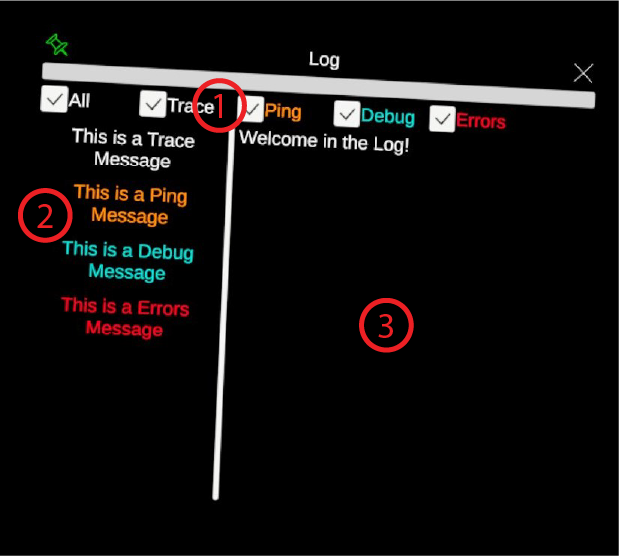
The menu to follow what the application is doing. There are different types of messages that are defined internally during development and can be filtered by the user. Clicking on a message displays extended content but only the 450 first characters are displayed for performances reasons.
- Filter Check boxes. Checking/unchecking the boxes will display/hide the messages of each category.
- Message Scroll List. The space where all messages are displayed as buttons. Once clicked, the content of the message will be displayed in the text viewer (see item 3).
- Message Text Viewer. The space where the content of a log message will be displayed after clicking on it (see item 2)