Groups Menu
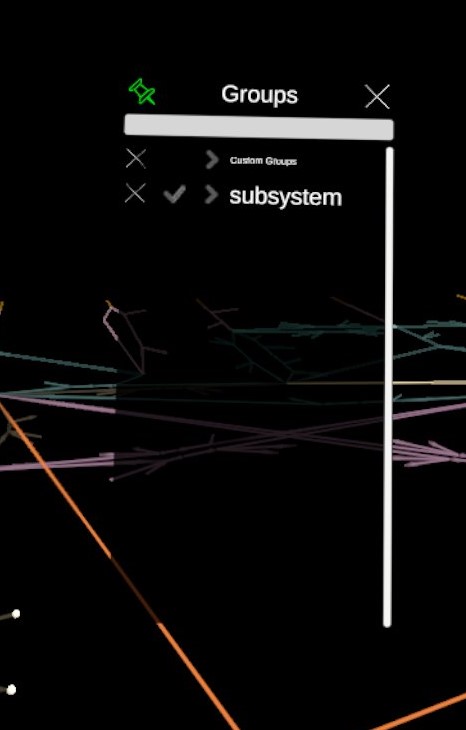
The menu to visualize the groups of elements that have been either specifically defined by the user or automatically grouped together according to some metadata.
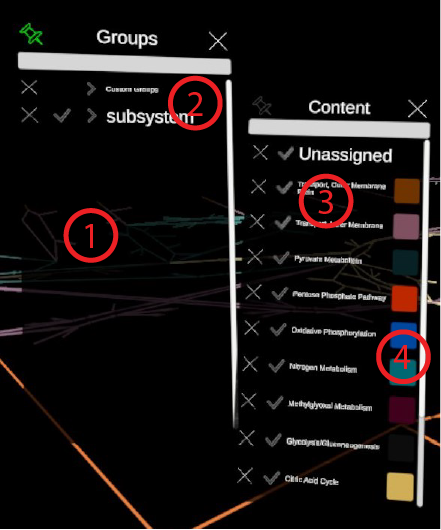
- Buttons in the Scroll List. A list of all the metadata according to which groups have been generated.
- Button corresponding to a group type. Clicking on the button will open a popup (see item 3) containing the groups generated by filtering using the corresponding metadata information. For example, in the image, we see that the GroupBy module was used to generate groups according to the subsystem metadata.
- Button corresponding to a group. These are all the unique data label under the metadata. For example, the metadata subsystem had the value Transport, Outer Membrane, Transport, Internal Membrane, ...
- Color Picker. Clicking on this button will open a color picker to update the color of the group.